
Your training,finally in one place
Training Hub Pro brings planning, daily check-ins, session logging and analytics together — and gives your coach the same picture you see. Built for biathlon, skiing, roller skiing, cycling and running.
Already have an account? Log In
Biathlon Precision Control
Strava Or Manual Entry
Coach ↔ Athlete In One Invite
Morning Readiness Check
Fitness · Fatigue · Form
Drag & Drop Calendar
Custom HR Zones
Installable PWA
English & Українська
One platform, two points of view
Athletes and coaches get their own workspace, connected by a single invite — the same sessions, the same numbers, no spreadsheets in between.
Log less, understand more
Readiness, Not Guesswork
A daily check-in — fatigue, soreness, stress, sleep, HRV, resting HR, illness and injury — becomes a 0–100 readiness score measured against your own 28-day baseline, not somebody else's average.
A Log That Fits Your Sport
Time in zones, warm-up and main-part structure, muscle load and focus, terrain and wheel resistance, snow and glide, lactate, and full biathlon shooting stats — prone and standing, by shooting type.
Plan The Week Ahead
Drag sessions between days, copy and paste a block, save any session as a template, and mark the race, camp, flight or rest day that the week is built around.
See The Trend, Not The Noise
Time in zones, easy-hard polarization, consistency streaks, plan compliance, and correlations between how you felt and what you did.
Strava Does The Typing
Activities arrive on their own with heart rate, zones, distance, elevation and route map. Anything you edited by hand is never overwritten on the next sync.
Ready On Your Phone
Install it to your home screen and check in, log a session or look at tomorrow's plan from the car park, with a layout built for thumbs.
A closer look
The screens you will actually spend your week in.
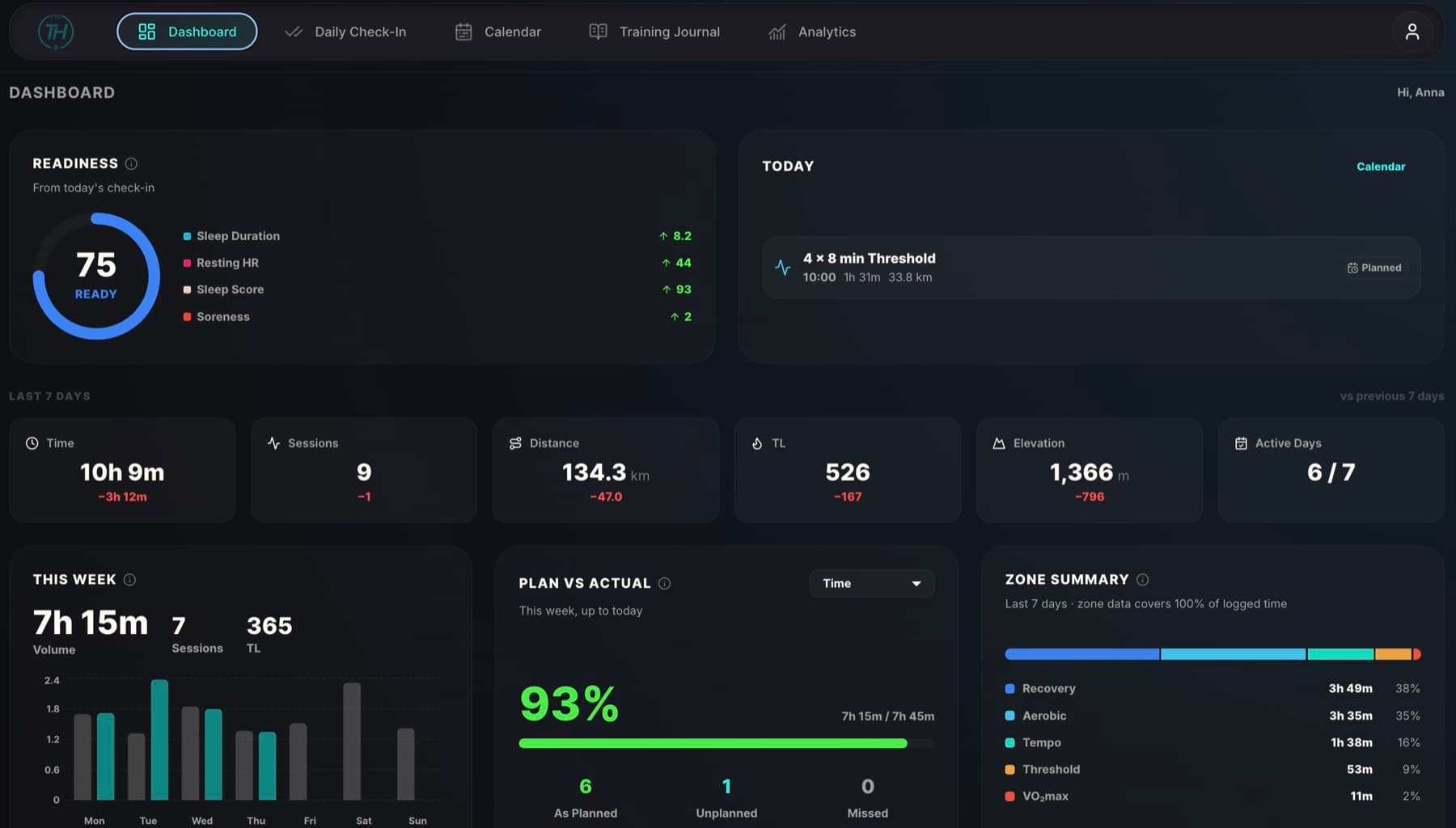
Readiness first — before the first session
A morning check-in takes under a minute: how you slept, how your legs feel, resting HR and HRV typed in by hand. It becomes a readiness score measured against your own 28-day baseline — and your coach sees it on the squad dashboard before the warm-up starts.
Sleep, fatigue, soreness, stress, HRV, resting HR and weight
Illness, injury and soreness location flagged on the timeline
Readiness scored against your own 28-day baseline
On your coach's squad dashboard the moment you save
Every shot, prone and standing
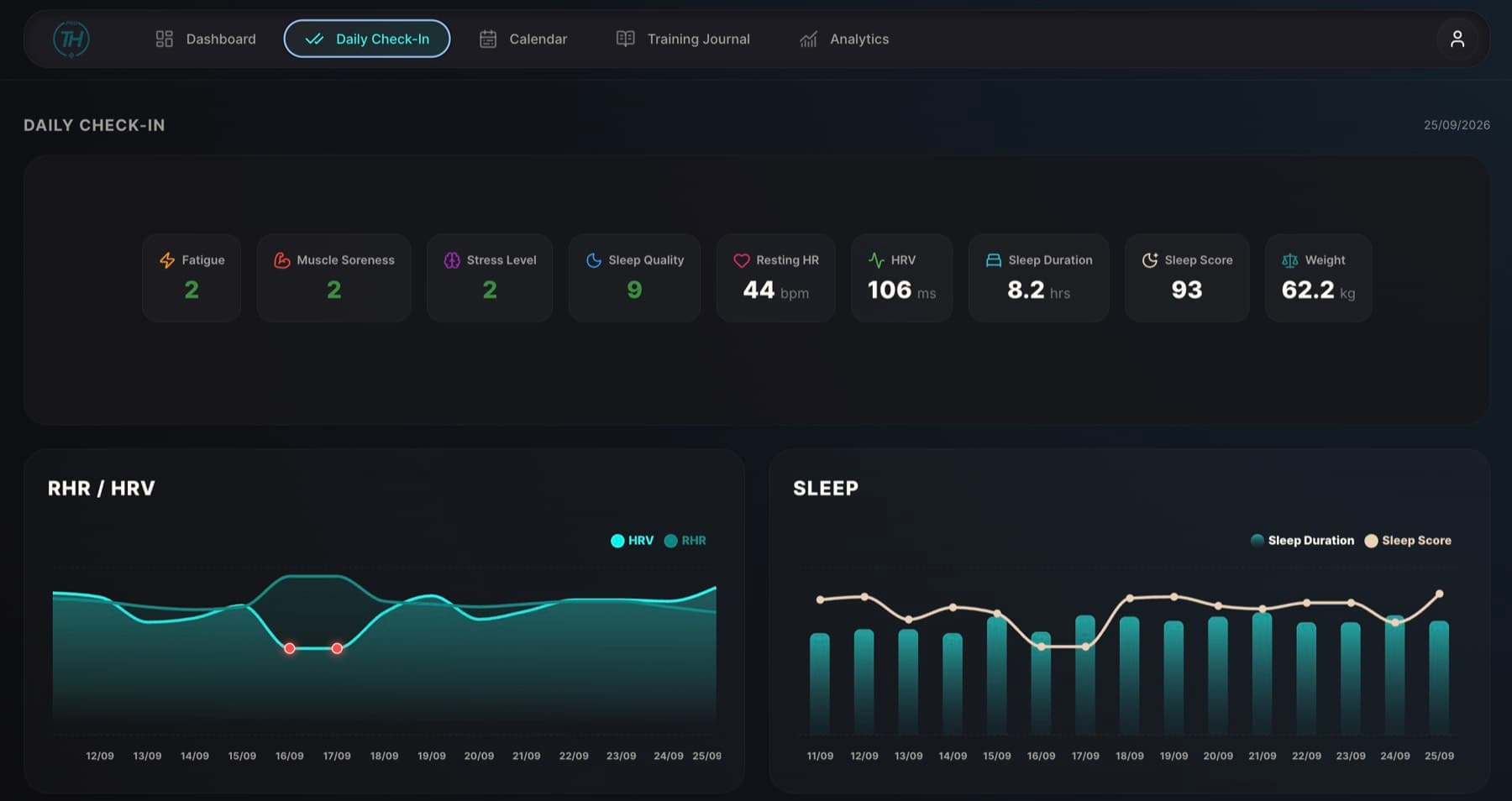
Log range sessions on their own or shooting inside a combined workout. Accuracy per stance, the gap between them, volume with zeroing kept apart — and whether fatigue is costing you hits.
Accuracy for prone and standing, and the gap between them
Accuracy trend and shot volume over any period
Split by focus: technical, speed, mental & pressure, combine, tests
Accuracy against training load, session by session
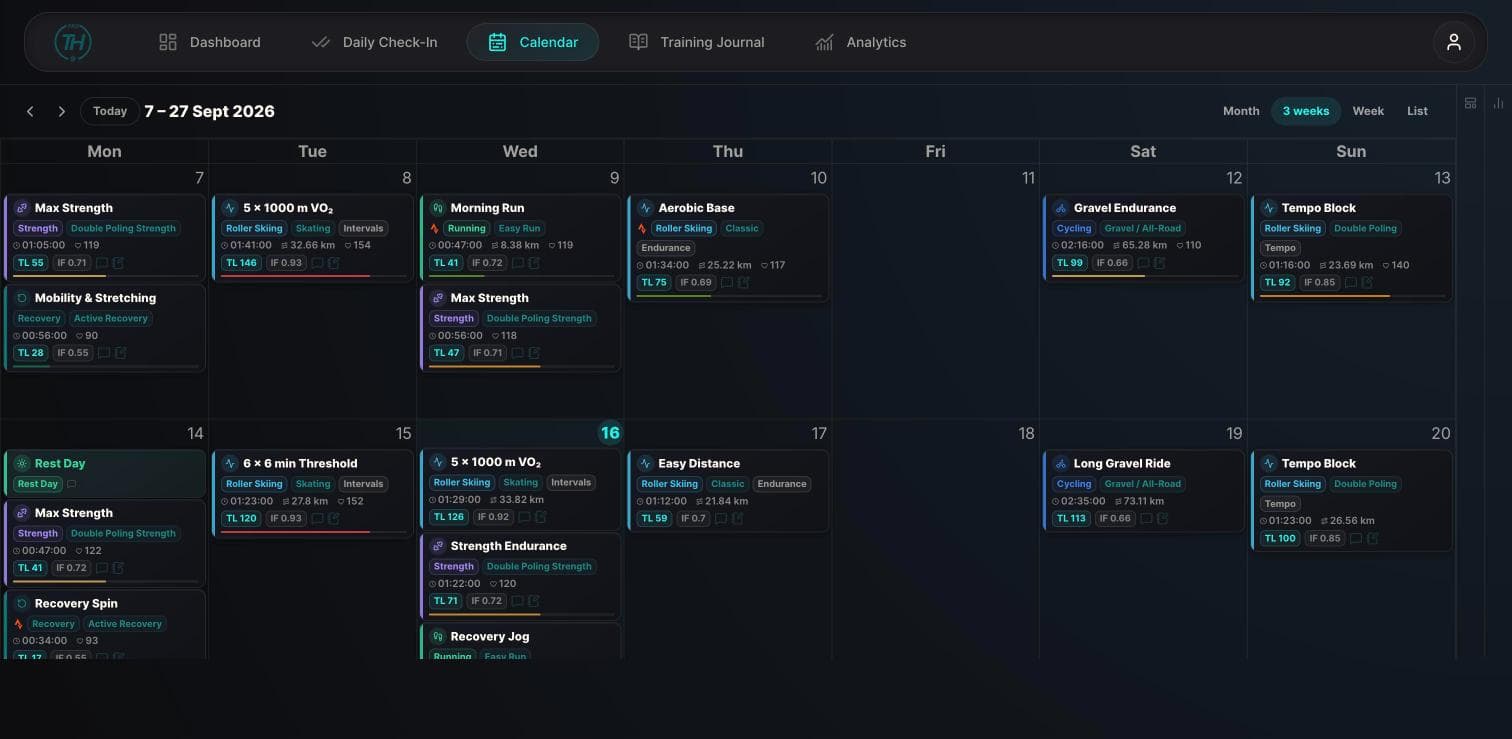
Plan it, move it, reuse it
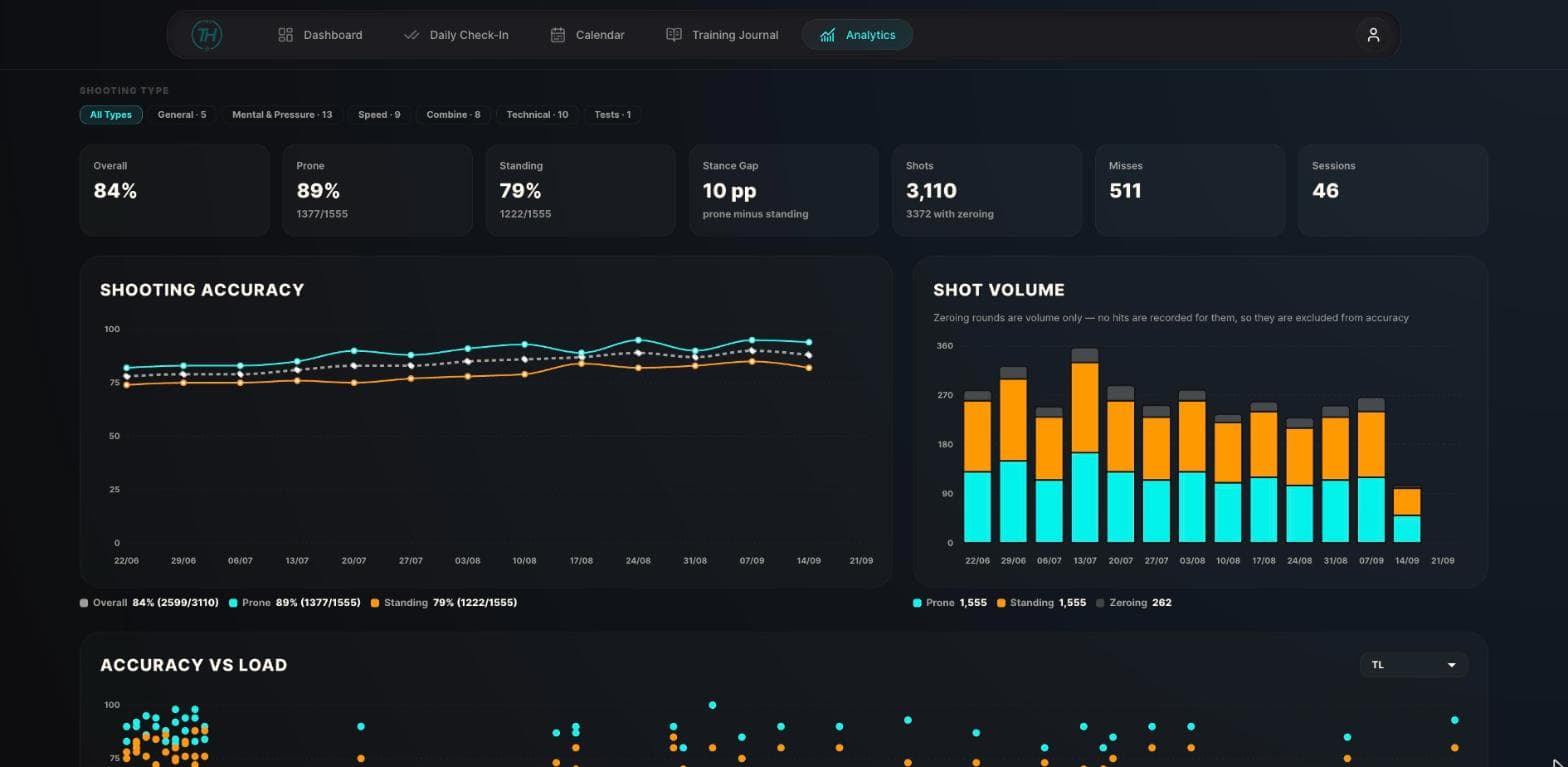
Month, week, list and three-week views with drag-and-drop rescheduling, copy and paste, a drag-to-delete zone, and weekly totals beside the grid.
Save any session as a template and drag it onto a date
Races, camps, flights, illness and rest days as calendar events
Quick-log form for sessions you just want written down
Weekly volume, load and session count alongside the grid
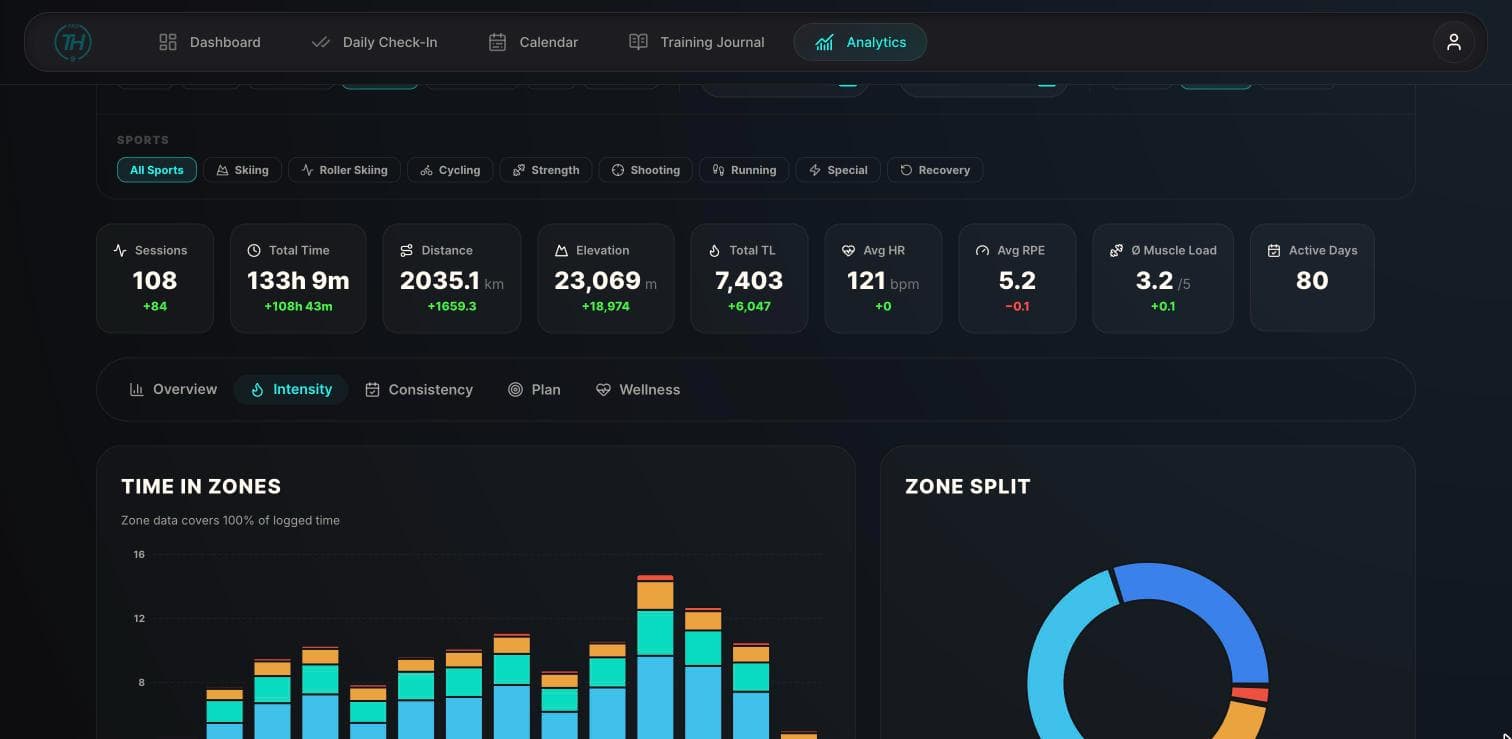
Six tabs, one honest picture
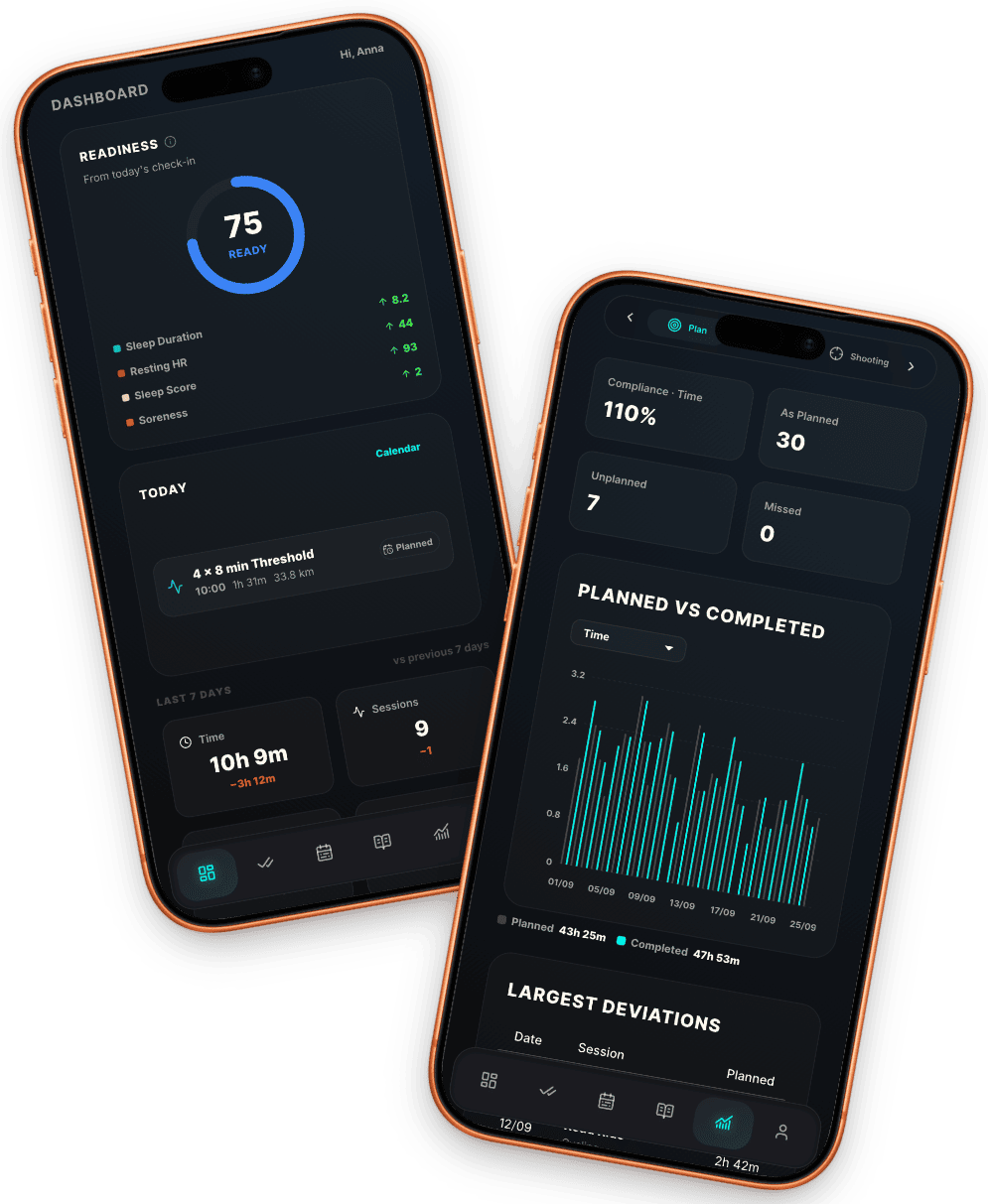
Overview, Intensity, Consistency, Plan, Wellness and Shooting — each with period presets, day/week/month grouping and a sport filter.
Consistency: active days, streaks and load variability
Time in zones, zone split by sport and easy-hard polarization
Planned versus completed, compliance by metric, biggest deviations
Same-day and next-day correlations between wellness and load
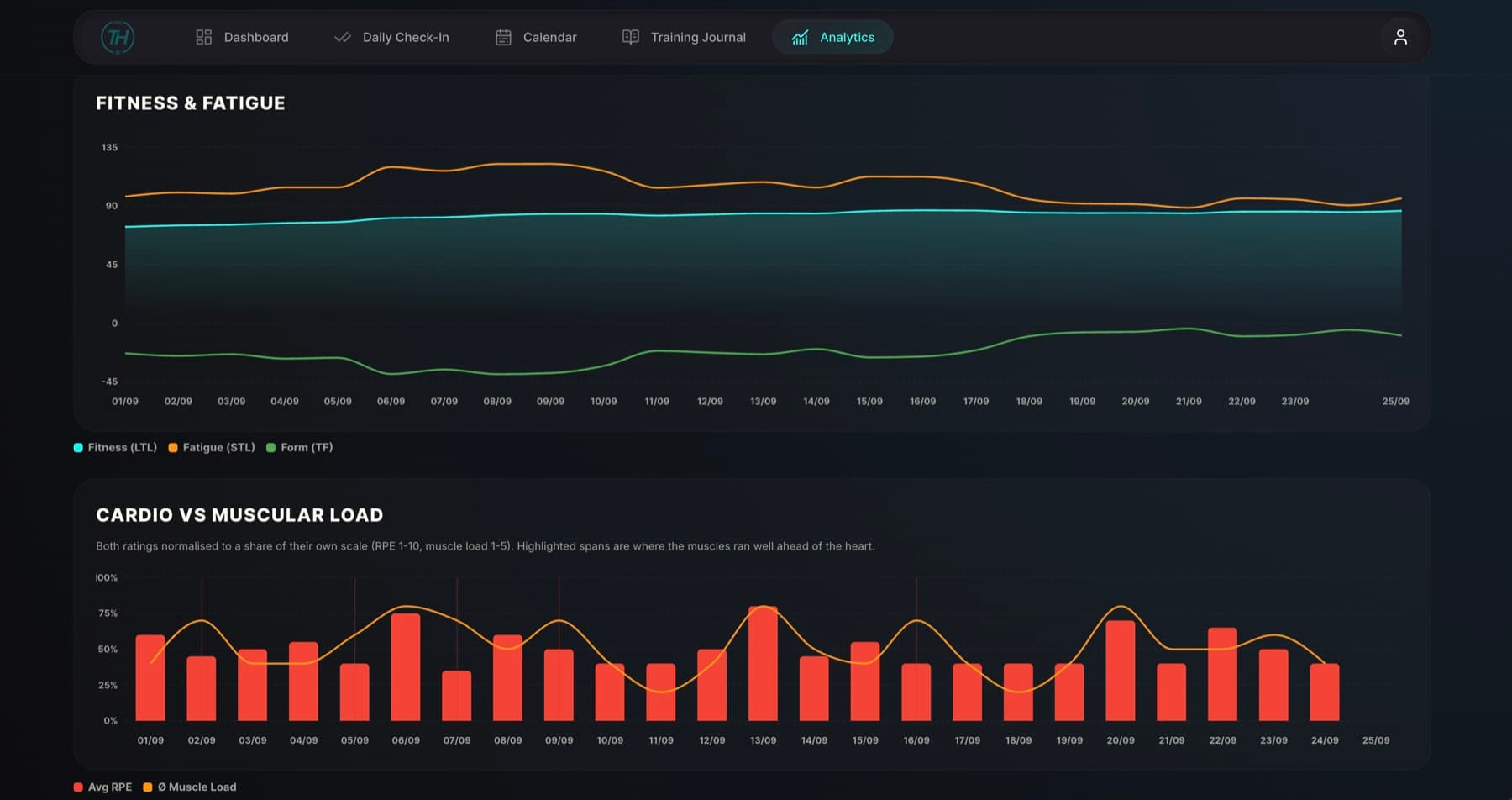
Read the squad, then read one athlete
The coach workspace is the same diary from the other side: every connected athlete's sessions, check-ins and load in one place, with the numbers a coach actually acts on.
Fitness (LTL), Fatigue (STL) and Form (TF) charted per athlete
A squad rollup with compliance, load ratio and form columns
A multi-athlete calendar — drag a template onto someone's day
Illness, readiness drops and load spikes surfaced as alerts
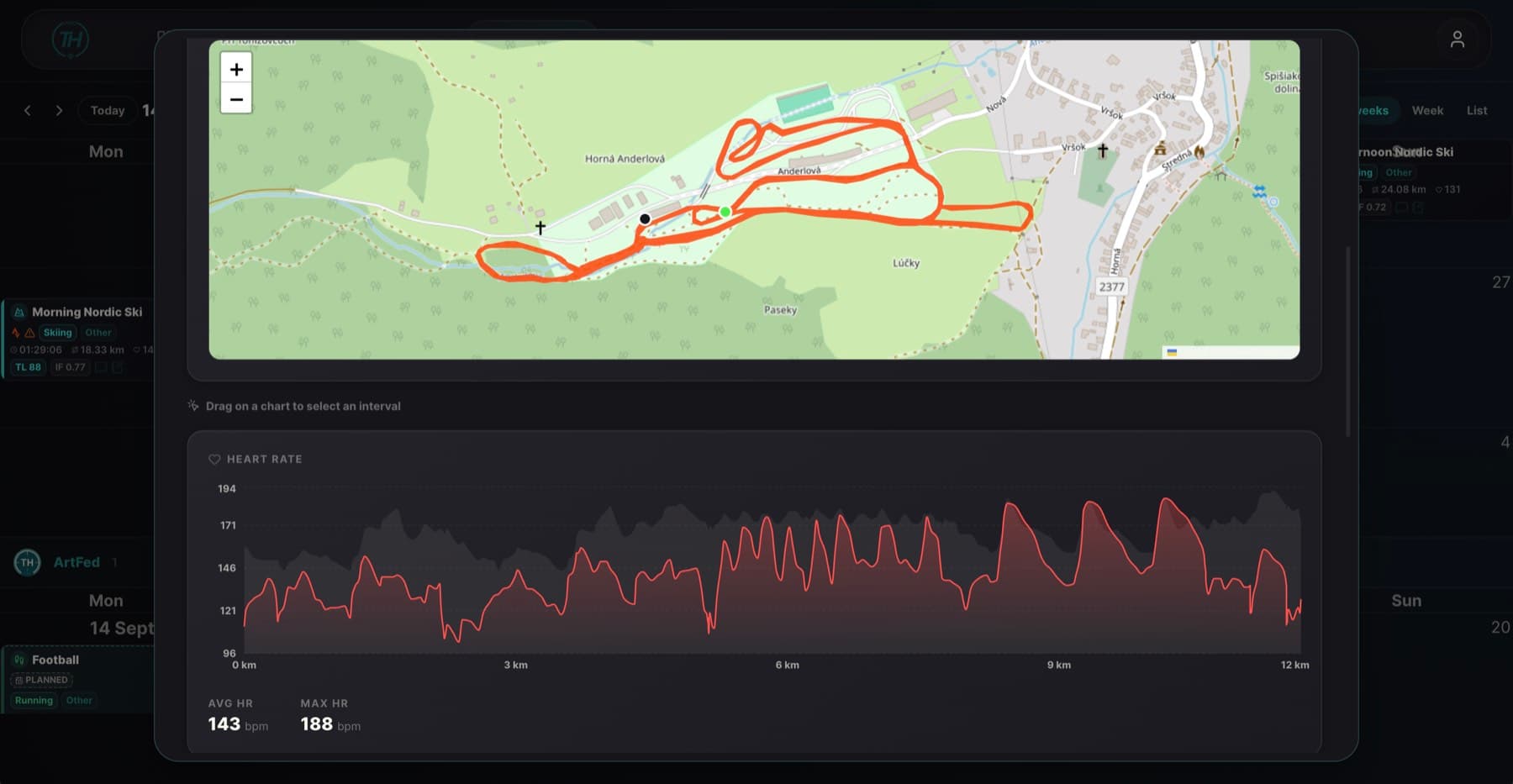
Nothing to type twice
Connect once and activities import in the background. Import history by range, merge an activity with the session you had planned, and keep the fields you wrote yourself.
Webhook sync brings new activities in automatically
New, matches-planned, duplicate or already-synced, marked per activity
Route map, heart-rate and pace streams with drag-to-select intervals
Fields you edited are never overwritten by a later sync
How it works
Four steps — after that it mostly runs itself.
1
Set Up Your Profile
Enter your LTHR, weight and sport, then set your heart-rate zones — time in zones and every session’s load are calculated from them.
2
Connect Or Log
Link Strava so activities arrive on their own, or log sessions by hand with as much or as little detail as you want.
3
Check In Daily
Thirty seconds each morning builds the baseline your readiness score and wellness correlations are measured against.
4
Read It And Adapt
Watch Form, compliance and consistency instead of guessing — and let your coach see the same numbers you do.
Connect Your Athletes
Send an invite to the email of an athlete who already has an account — once they accept, their sessions, check-ins and readiness show up in your dashboard.
Install it, then forget it's a website
Training Hub Pro installs to your home screen and opens without a browser bar, with safe-area-aware layouts, a bottom nav for thumbs and a light or dark theme that follows your system.
Add To Home Screen on iOS and Android
Bottom navigation and touch-sized targets throughout
System, light or dark — your choice, no flash on load
Same account, same data, on every device
Be the first to set up your team
Leave a request and get free access to every feature — shooting analytics, planning and the coach workspace — for the whole closed beta.
Already training with us? Log In